
We have already seen how to create ads.txt file if you are using Adsense. Now we can see How to add ads.txt on Bluehost
How to add ads.txt on Bluehost:
Step 1: Login to Bluehost hosting account.
Step 2: Go to Cpanel Tab
Step 3: Click on File Manager
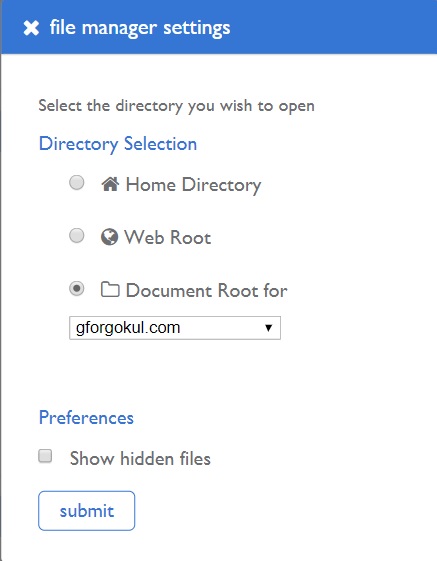
Step 4: In Director Selection Click on ‘Document Root for’ and select our required domain name from the list before submitting.
Step 5: Click on the Upload button and upload the ads.txt file.
Mission Completed!!!