
We may want to display ads on our WordPress website. While coming for customization we would be having many troubles.
Target: To show ads only on posts and not on pages
What do we need: WordPress website, Genesis Theme, Genesis Hook plugin
Solution:
- Install Genesis Hook Plugin from the plugins repository
- Go to Genesis -> Genesis Hook from the side menu in wordpress admin console
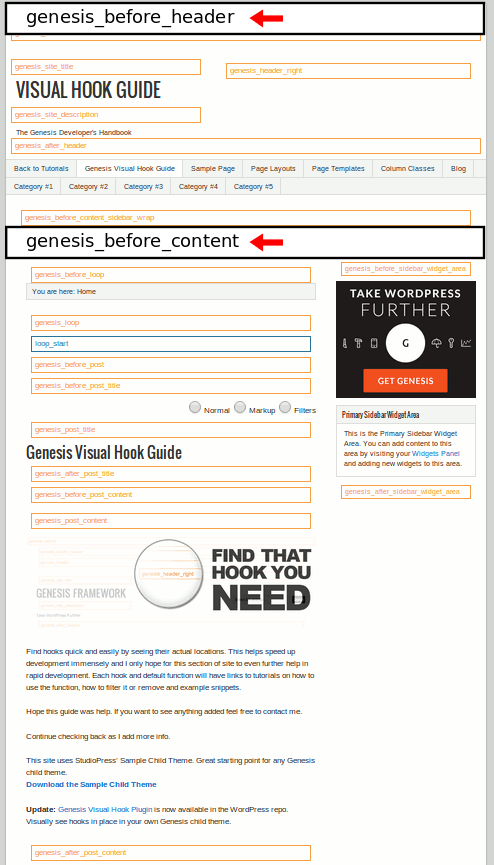
- Choose the place where you are going to place the ad. Let us consider you want to display the ad below the Header. So paste the below code under Genesis_after_head section
<?php if (!is_page()) {  ?>
<!-- Your Scripts -->
</script>
<?php } ?>
For example we have pasted the google adsense code
<?php if (!is_page()) {  ?>
<script async src="https://pagead2.googlesyndication.com/pagead/js/adsbygoogle.js"></script>
<!-- GokulDeepak SideBar -->
<ins class="adsbygoogle"
     style="display:block"
     data-ad-client="ca-pub-xxxx62423435"
     data-ad-slot="25xxxxxxxxxxxx"
     data-ad-format="link"
     data-full-width-responsive="true"></ins>
<script>
     (adsbygoogle = window.adsbygoogle || []).push({});
</script>
<?php } ?>