
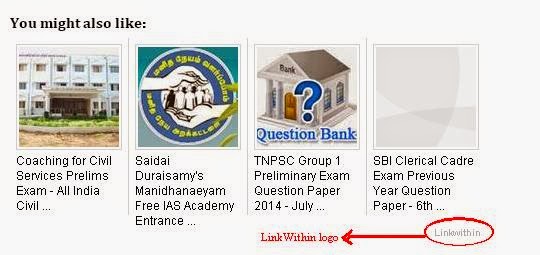
Mission: to Remove LinkWithin logo
Platform: Blogger/Blogspot
Procedure:
Step 1: Go to Blogger.com
Step 2: Select Template -> Customize -> Advanced-> Add CSS
Step 3: Paste the following code in the custom CSS box
#linkwithin_logolink_0
{display:none;}
Extra Cover:
The code given above will work only for one post. That is if you are viewing a single post/page the linkwithin logo will be hidden but if a Archive page is listed then only one of the post won’t have linkwithin logo. All other posts will have linkwithin logo. To hide all such logos add the CSS given below instead of CSS given above.
->For Multiple post (Example:Archives, Labels):
#linkwithin_logolink_0,#linkwithin_logolink_1,#linkwithin_logolink_2,#linkwithin_logolink_3 {display:none;}
Step 4: Hit Apply to Blog.
Climax: We have successfully removed linkwithin logo.